VMware Data Services Manager – DBaaS
VMware Data Services Manager (DSM) provisions databases (MySQL, PostgreSQL) and MinIO S3 buckets simply, and takes care of their lifecycle, backup, monitoring and alerting.

VMware Data Services Manager (DSM) provisions databases (MySQL, PostgreSQL) and MinIO S3 buckets simply. It also covers the database lifecycle, a backup solution, and monitoring and alerting. DSM gets you to database-as-a-service very quickly.
DSM is fully included in VCF and needs no additional licences. Support for the provisioned databases (PostgreSQL, MySQL) is available from VMware as an option.
Prerequisites
- vSphere 8
- 8 vCPUs and 16 GB of RAM for the provider appliance
- Resources as needed for the provisioned databases
- A vSphere port group with an IP range (at least 5 free IPs) for the workload
Installation
DSM consists of a provider appliance, delivered as an OVA. The provider appliance runs the DSM UI and provisions the workloads. A workload is one or more VMs, depending on the availability you want. The provider appliance handles the entire deployment. DSM uses Kubernetes internally but has no dependency on vSphere Kubernetes Service.
Installing the provider appliance requires naming a vCenter, and an additional DSM plugin is installed in that vCenter.
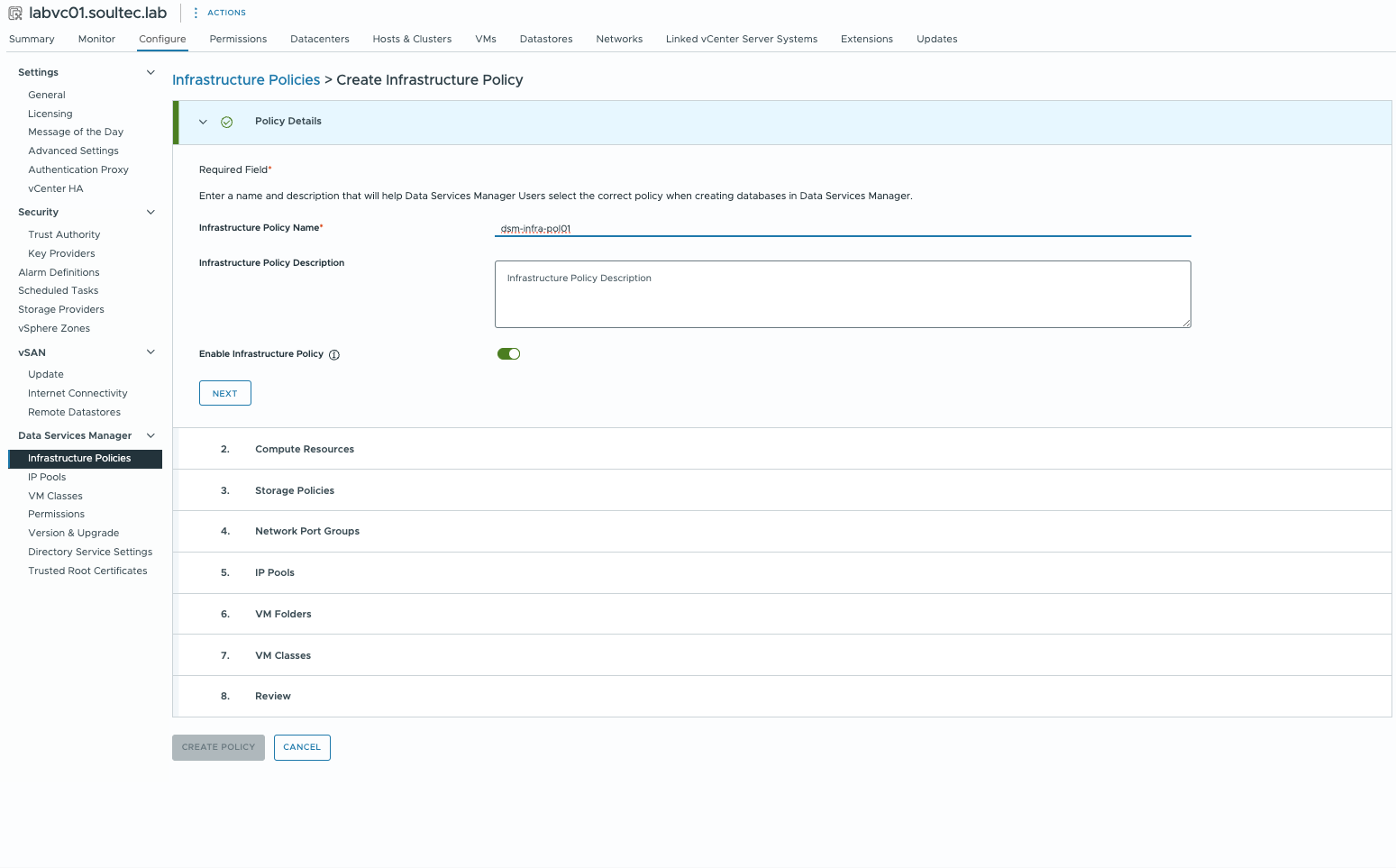
The plugin adds new functions to vCenter. To begin with, a few policies (compute, storage, network) are defined, and they determine how the database workloads get provisioned:
Logging in to the DSM provider appliance
The credentials for the DSM UI are configured through vCenter:
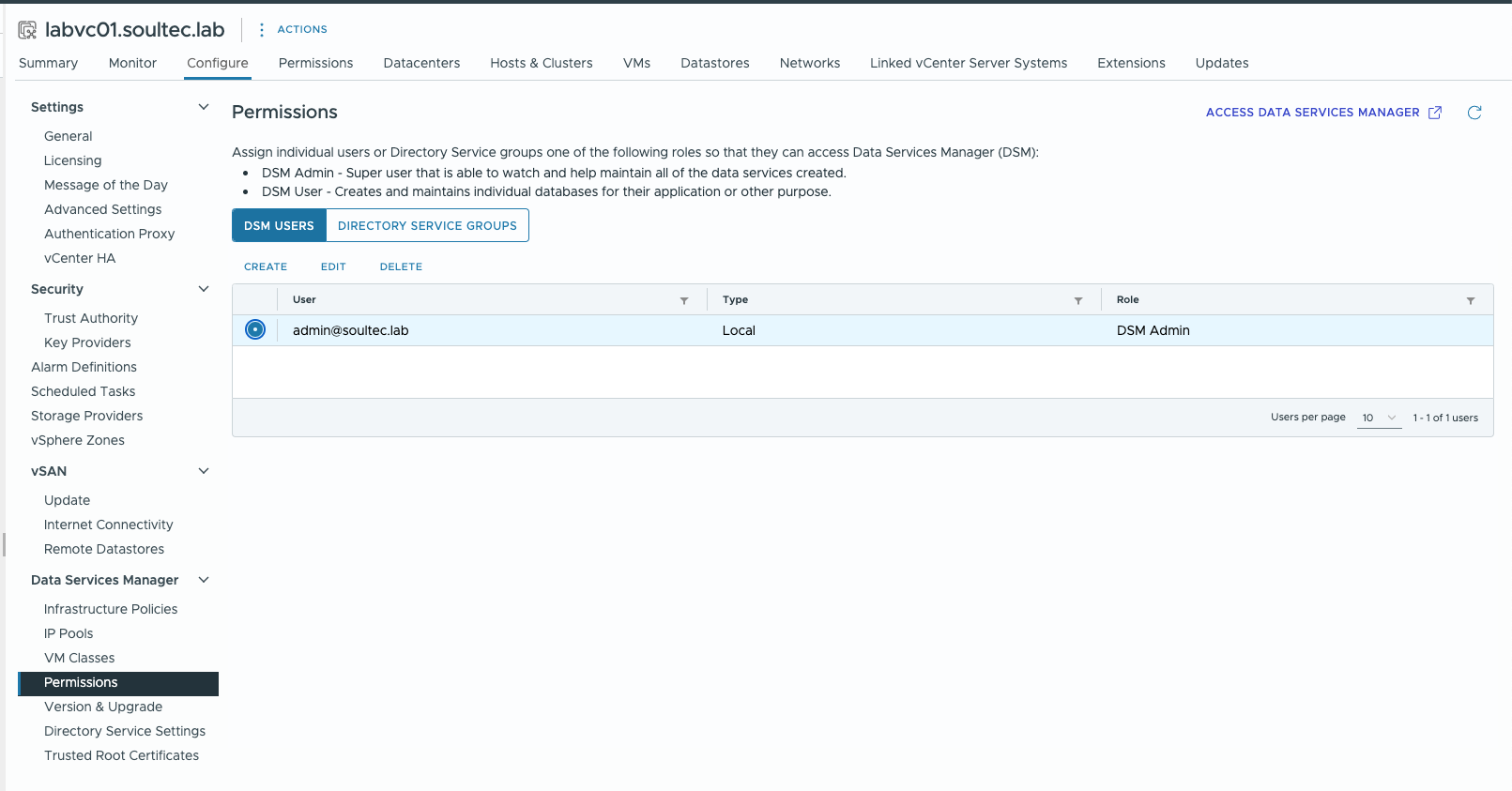
Besides local users, Active Directory integration is possible.
First steps
After logging in to the DSM provider UI, configure the following:
- An S3 bucket for database backup (provider logs, provider backups)
- SMTP settings (alerting)
- A syslog server
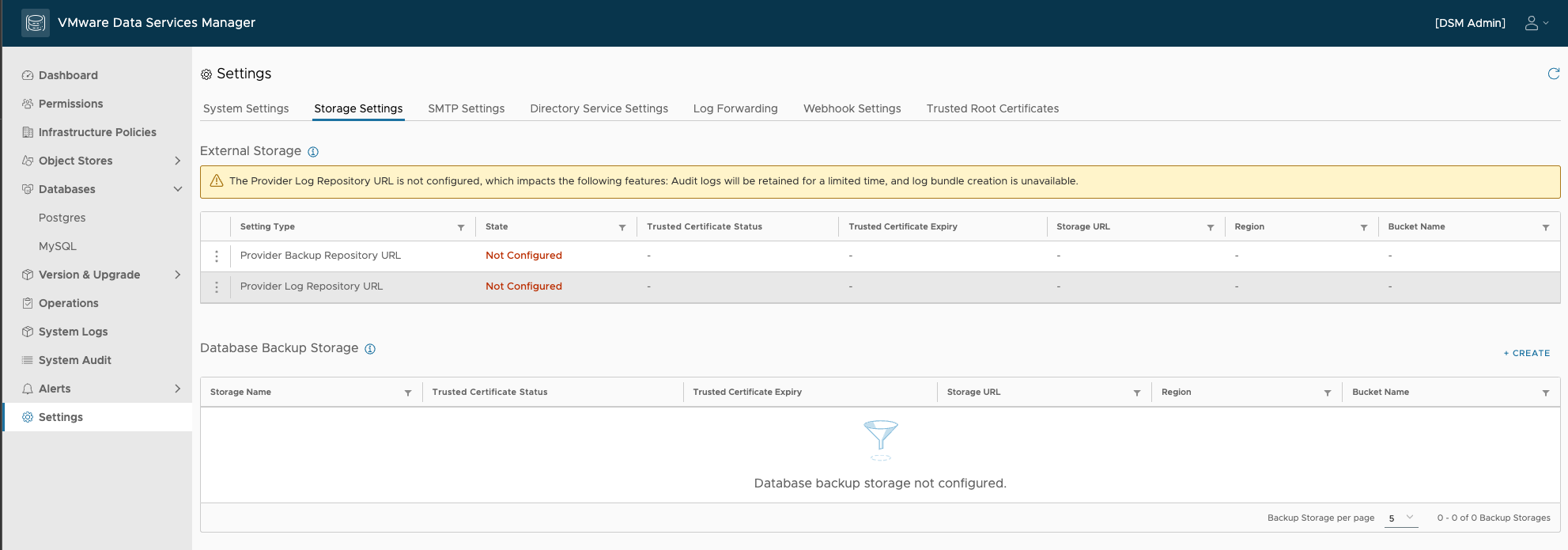
Provisioning a database
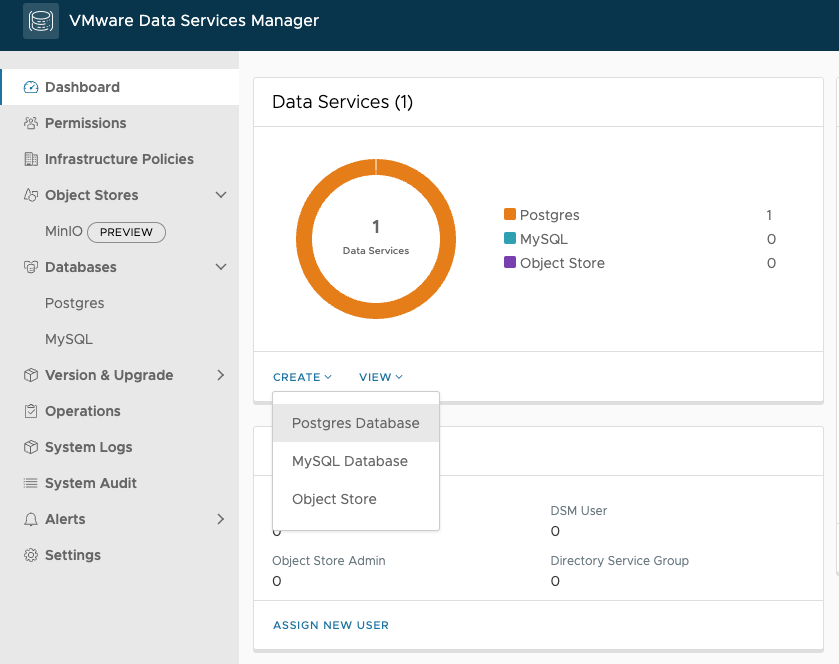
Creating a database from the DSM UI is very simple. Here we create a PostgreSQL database.
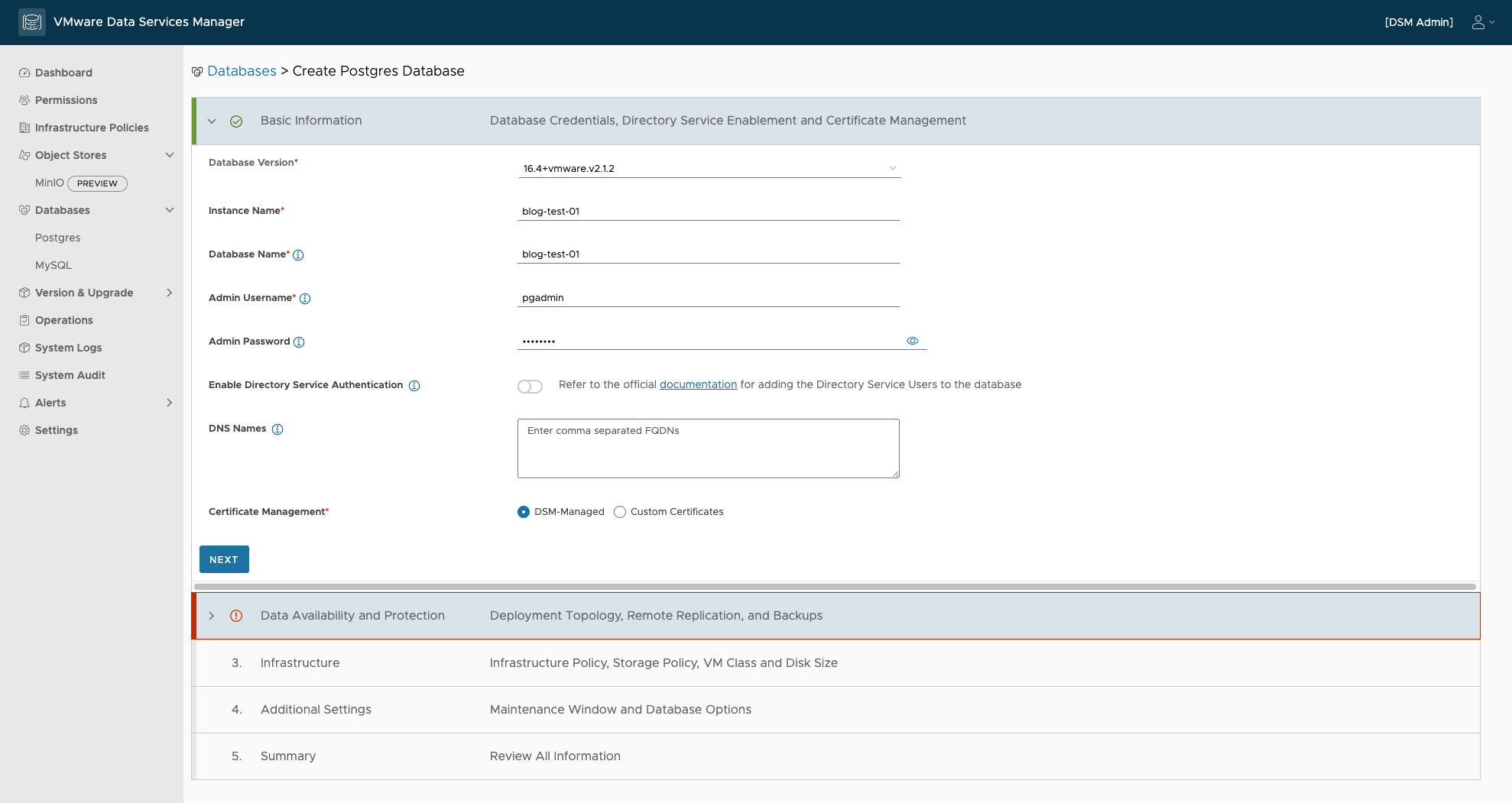
Various parameters are asked for: PostgreSQL version, instance name and credentials.
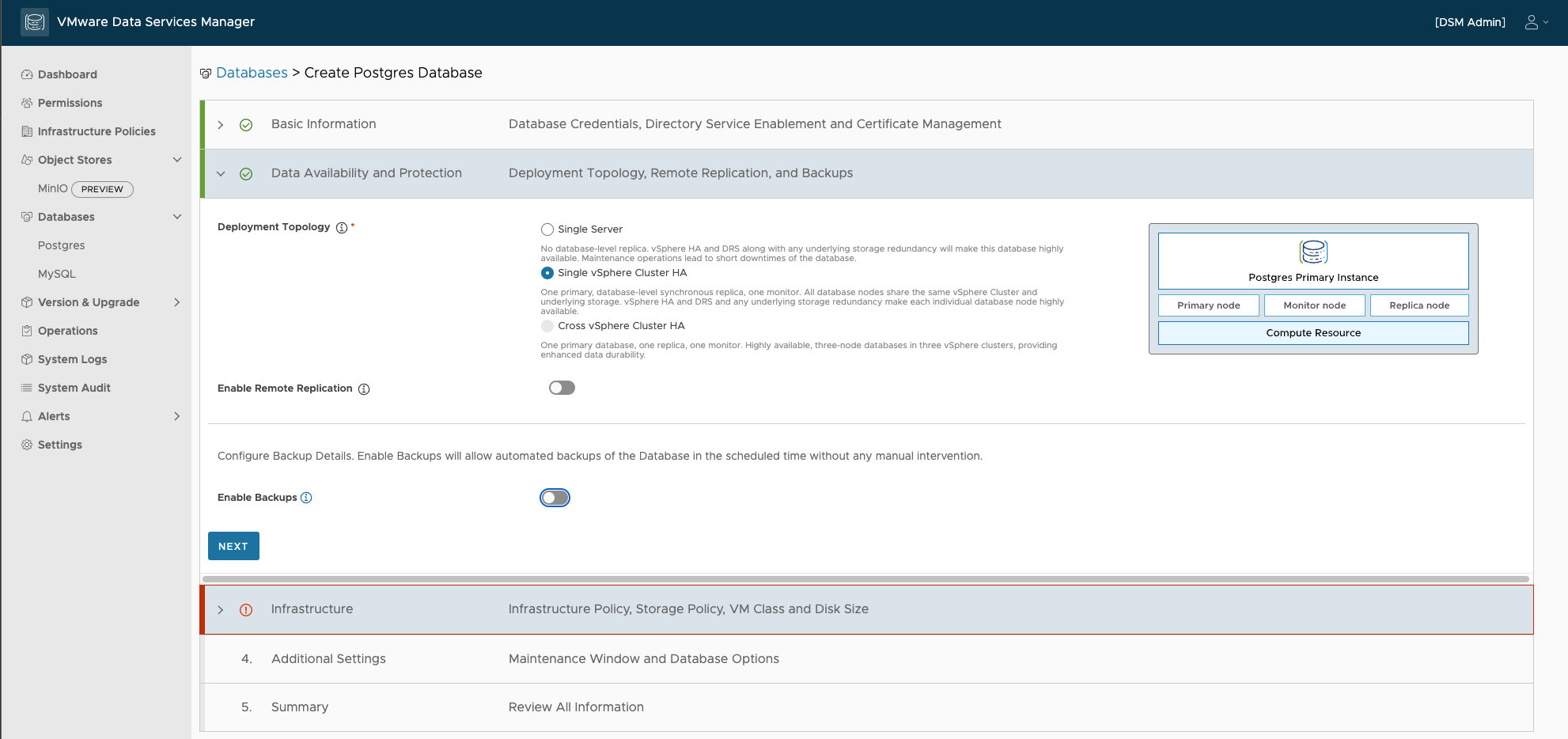
Next comes the topology. For proofs of concept or simple requirements there is a single-node option. For high availability the PostgreSQL database can be spread across several VMs, and even across several vSphere clusters:
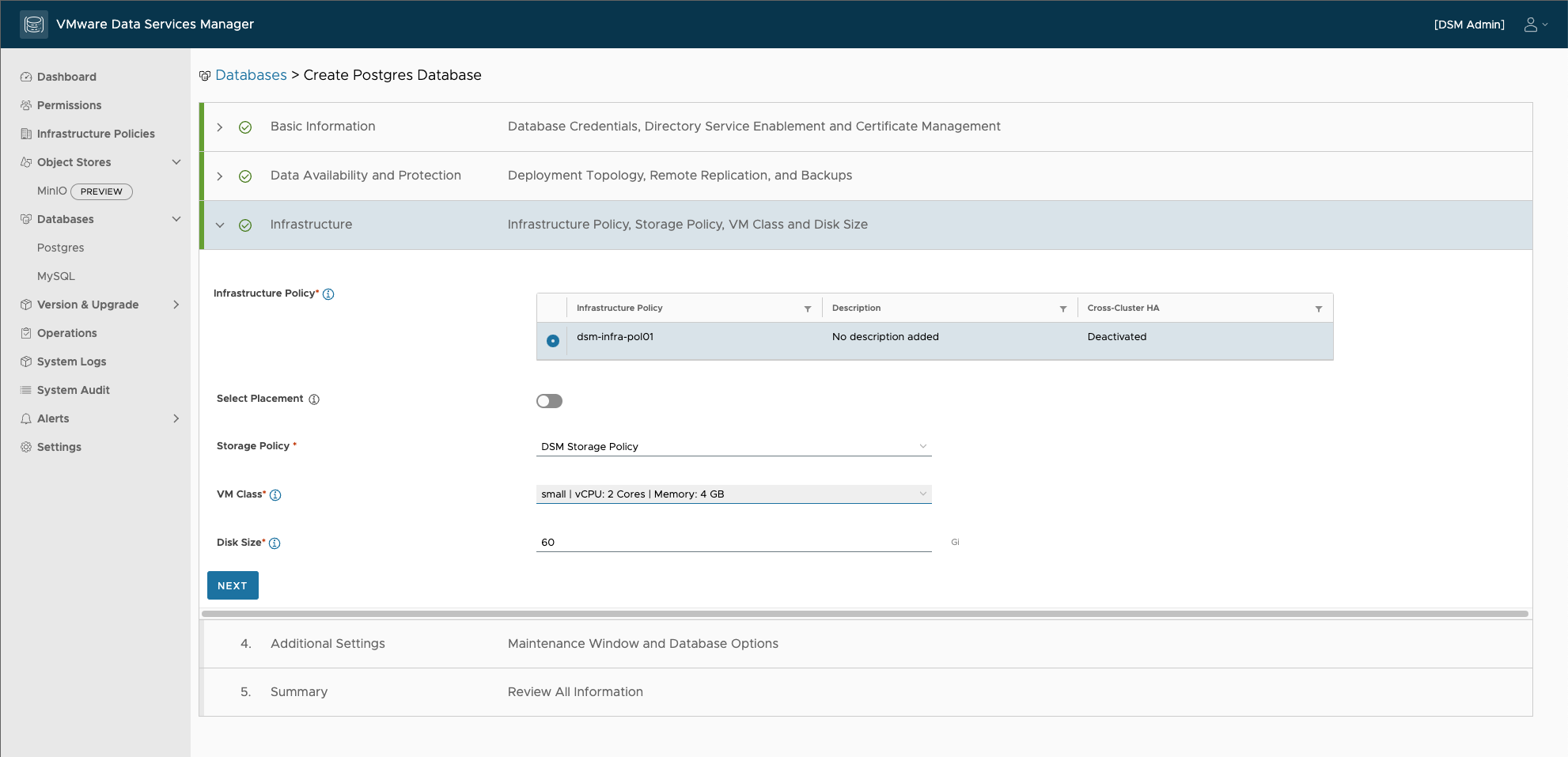
The compute resources for the PostgreSQL installation are configured with defined VM classes, set up in vCenter through the DSM infrastructure policies:
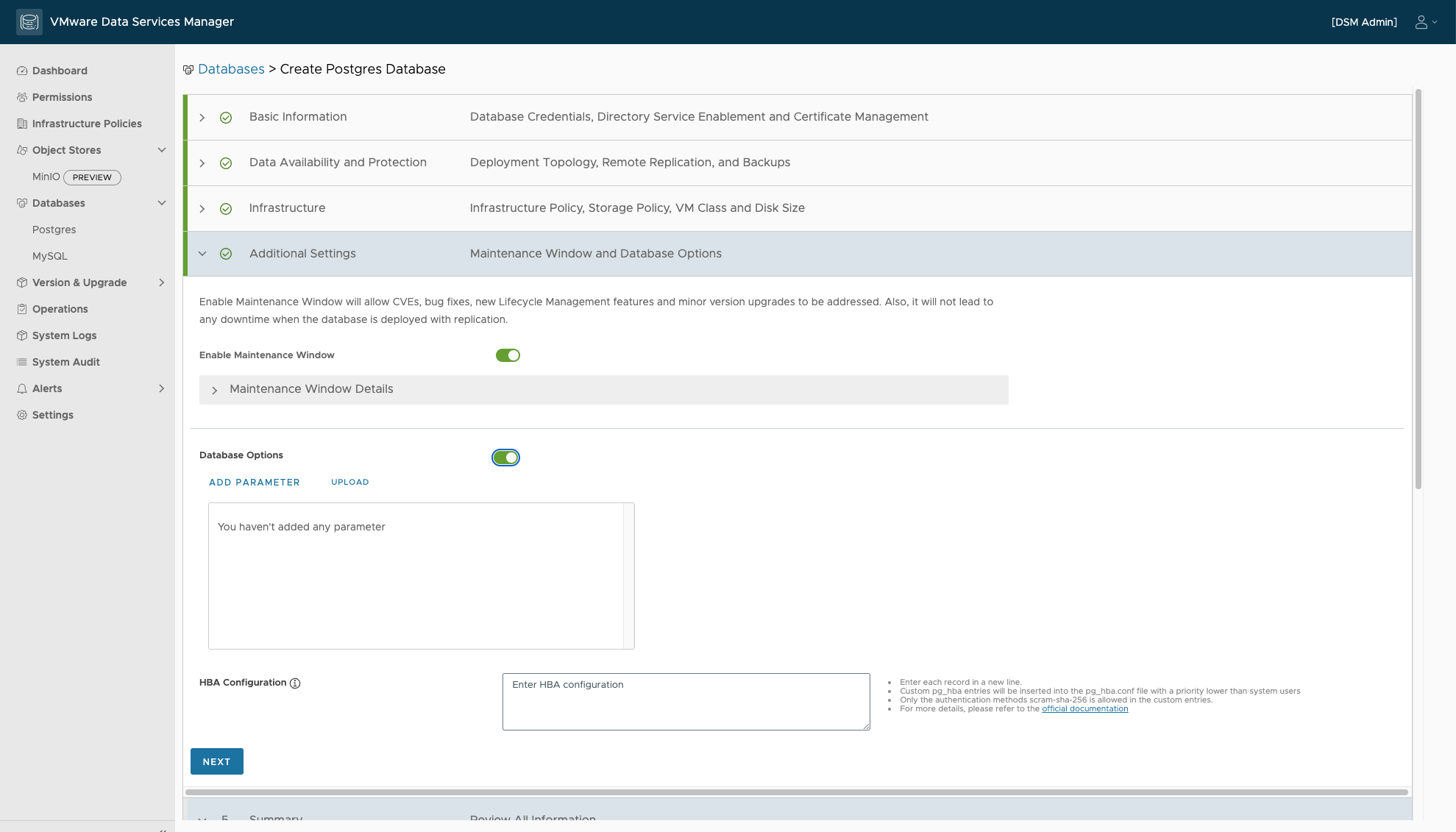
Another genuinely useful feature is the maintenance window. Here the database owner decides when lifecycle operations may run. PostgreSQL or MySQL specific parameters can be applied too.
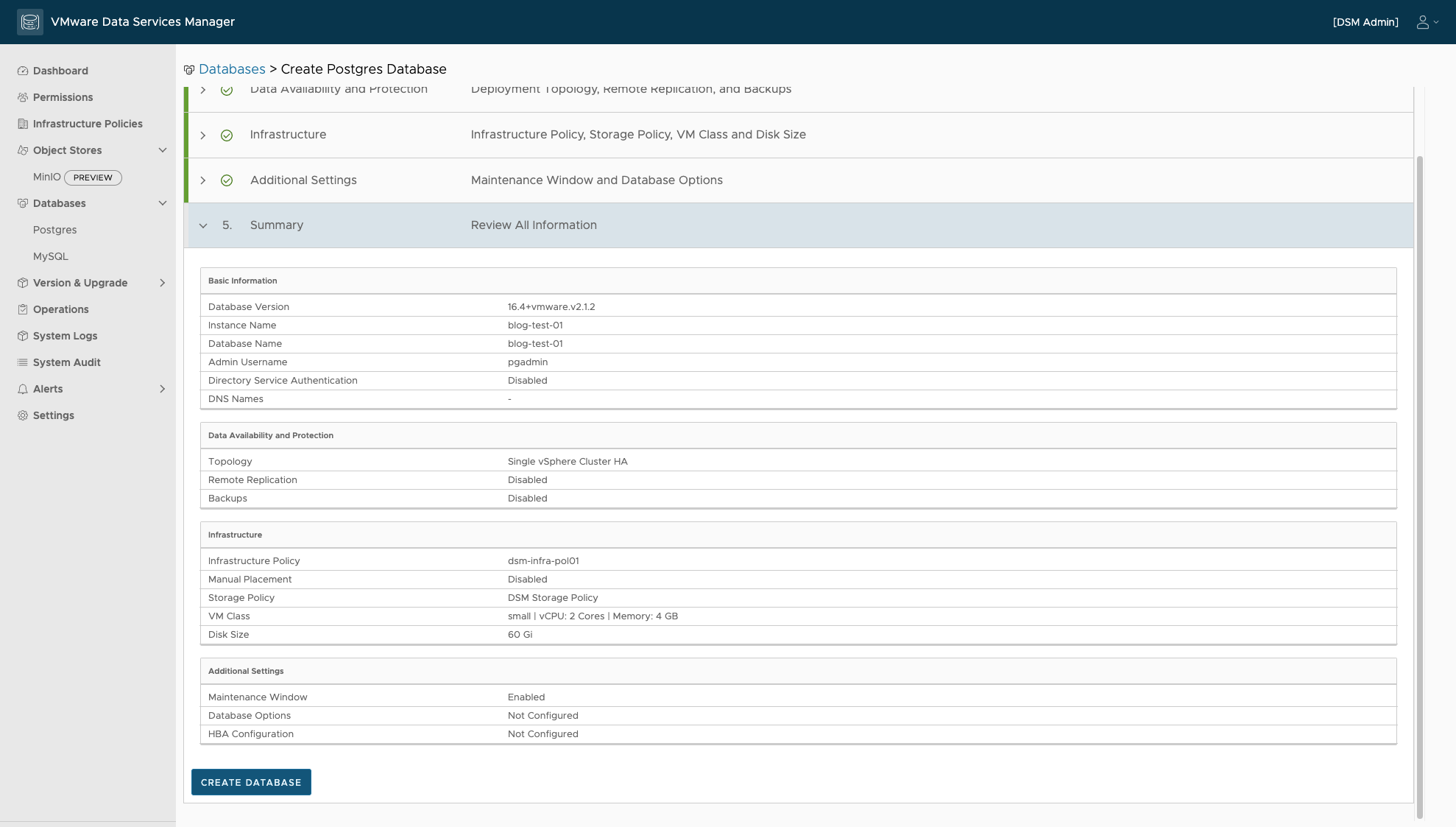
At the end the chosen parameters are shown once more. “Create Database” provisions the VMs in vCenter and starts the PostgreSQL installation.
The state of the deployment is easy to follow:

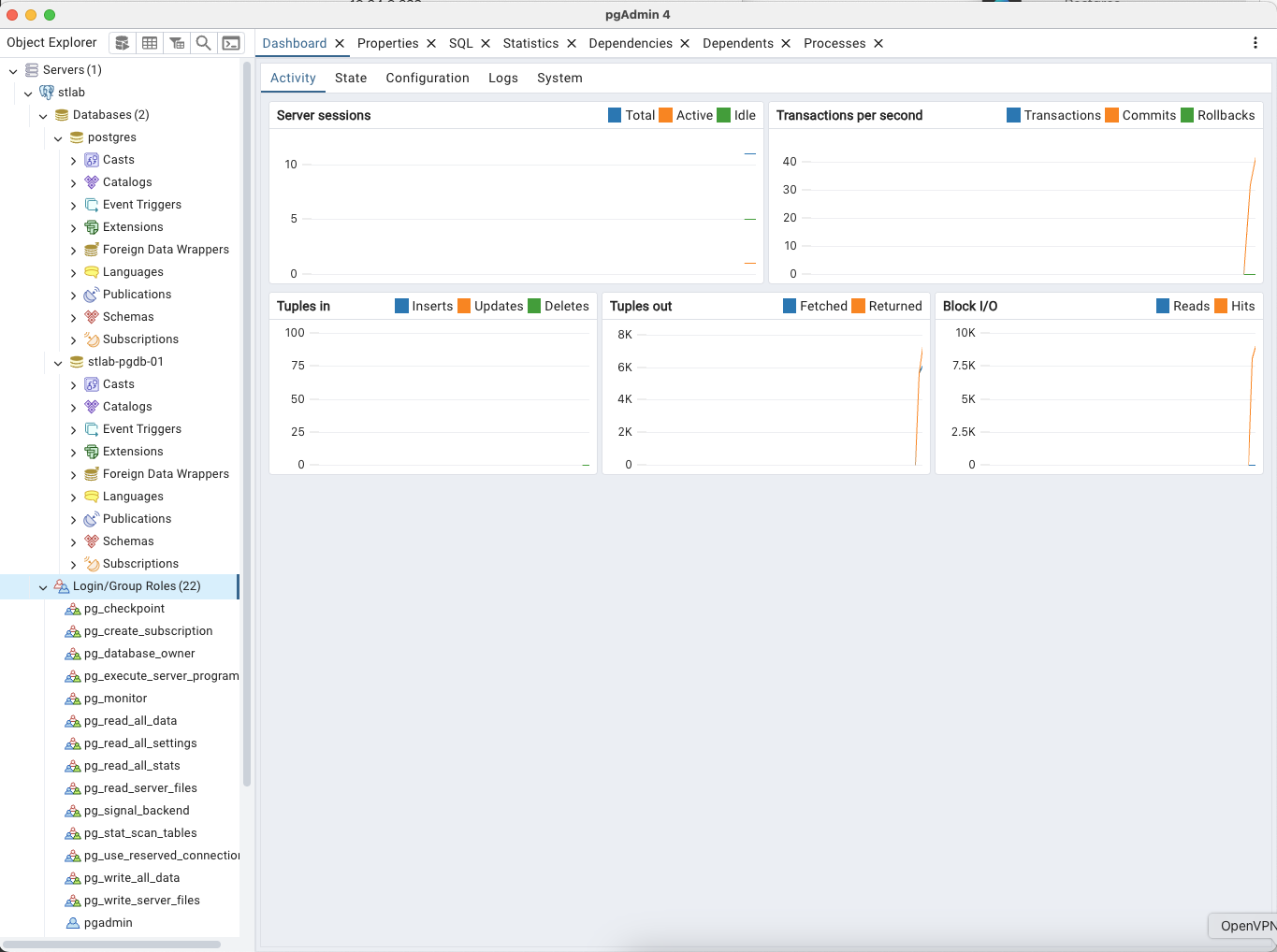
Reaching the database
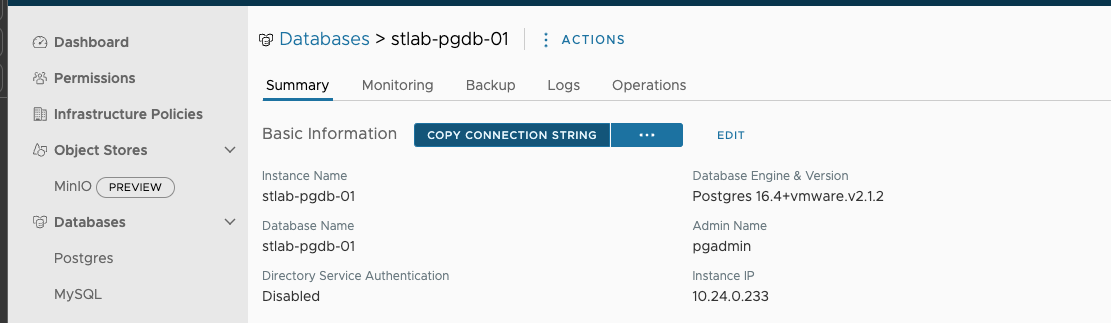
The connection string can be copied from the DSM UI.
Conclusion
VMware Data Services Manager provisions databases such as PostgreSQL and MySQL simply, with a small footprint and little setup. The tedious manual steps, creating VMs, configuring the DBMS, lifecycle management, are all taken care of.
In further posts I will cover the integration with the DSM Kubernetes operator, which lets DSM databases be provisioned from YAML.
If you want to know more about DSM, get in touch. VMware also offers a hands-on lab for DSM.