HPE InfoSight for servers
HPE InfoSight for Servers gives HPE customers a cloud-based platform for analysing, evaluating and monitoring their servers.

This post is from 2022. It stays online because people still look for it, but it describes the products as they were then.
HPE InfoSight for Servers gives you, as an HPE customer, a cloud-based platform for analysing, evaluating and monitoring. Machine data, sensor readings, installed software and driver information, and detailed performance counters are evaluated, compared and correlated with machine learning and artificial intelligence.
Not only across your own systems, but across every installed system worldwide. Millions of records and readings are collected and evaluated every second. All of it with one aim: higher system availability for you, fewer unplanned outages, and simpler administration.
iLO Amplifier Pack
Getting all the machine data from your servers to InfoSight takes a small virtual appliance that acts as a gateway between the servers’ iLOs and the HPE InfoSight servers. The iLO Amplifier Pack installs on any VMware vSphere, Hyper-V or KVM infrastructure.
Configuring the iLO Amplifier Pack
All of the iLO Amplifier’s configuration happens through a simple web interface. First the appliance is linked to your InfoSight organisation with a token, so that the server data lands in the right account later.
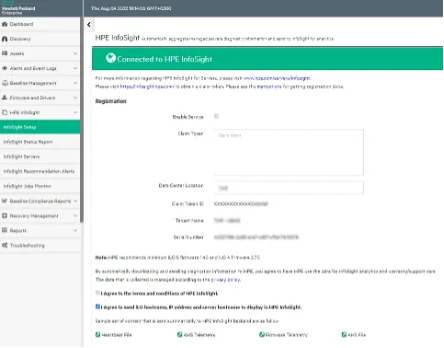
Configuring the servers
Now you can register all your servers through their iLO. That is how the relevant system parameters get to the iLO Amplifier.
At regular intervals the iLO Amplifier scans the systems through iLO to get the current state. With that, the basic configuration in the iLO Amplifier is done and you see all your servers in the inventory.
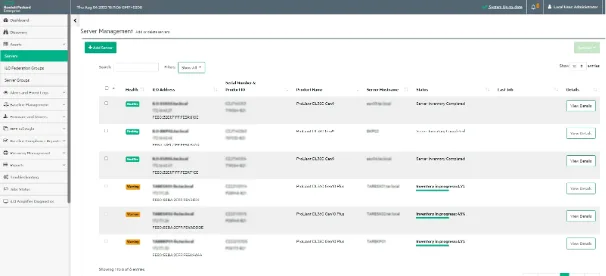
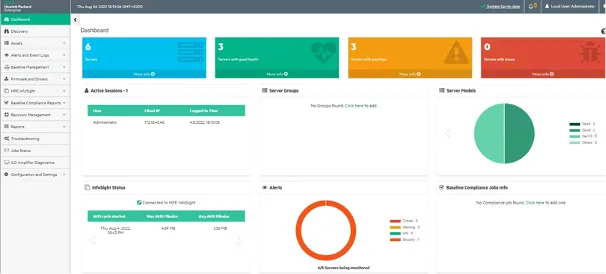
Keeping the iLO Amplifier Pack current
To keep the iLO Amplifier Pack appliance up to date, “check for update” searches for software updates and installs them straight away.
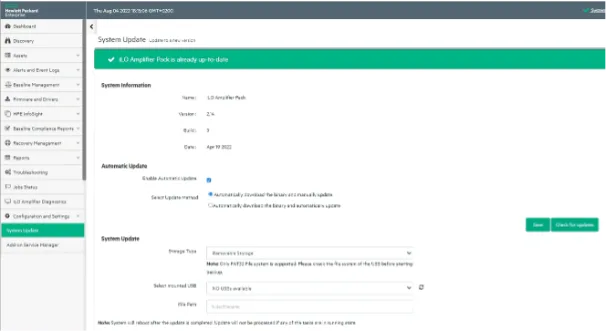
The HPE InfoSight for Servers dashboard
After 24 to 48 hours your servers appear in your InfoSight account.
Logging in needs an HPE Passport account. If you do not have one, you can create it at that link.
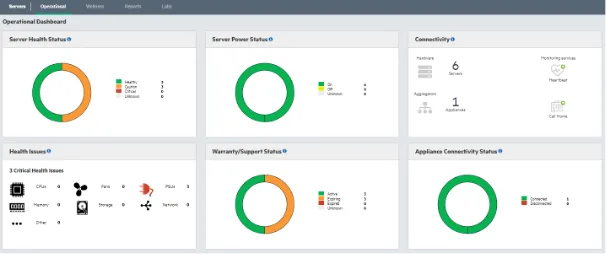
Reporting
The reporting function reads out whatever information you want about the servers. Which server runs which Service Pack for ProLiant (SPP), for example, or when the support contract runs out.
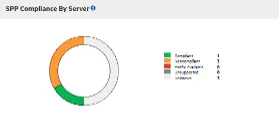
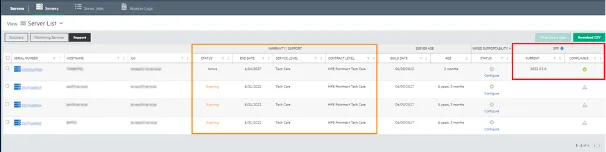
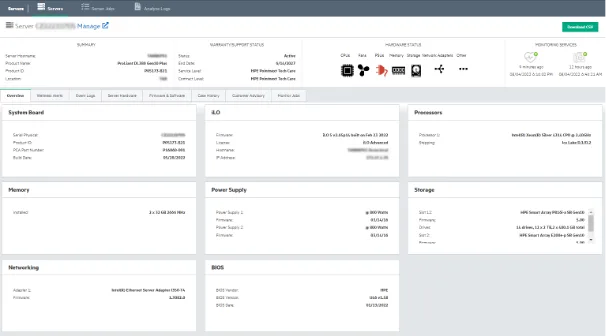
On top of that, detailed information about each server’s health, drivers and firmware is available.
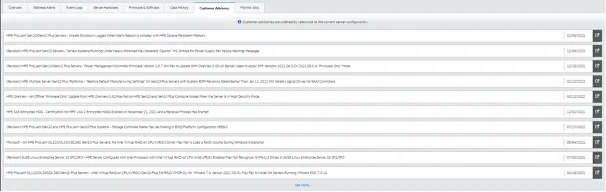
Customer advisories in HPE InfoSight for Servers
“Customer Advisory” shows information relevant to the system.
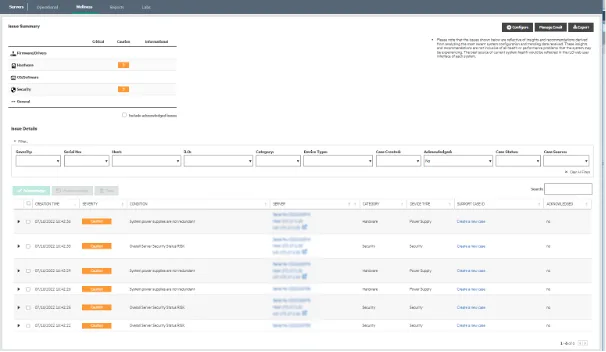
Wellness alerts in HPE InfoSight for Servers

Further checks in HPE InfoSight for Servers
Beyond the dashboard and reporting, InfoSight runs a lot of checks in the background. You get told, for instance, when there are known problems that could lead to an outage.
That information is derived from what is collected worldwide and cross-checked against support databases. InfoSight also helps with planning infrastructure updates and expansions, and with establishing compatibility.
How do you get HPE InfoSight for Servers into your infrastructure?
Would you like Mr InfoSight watching and analysing your server farm 24x7x365?
Then make an appointment with us and we will install the iLO Amplifier and connect it to InfoSight with you.
The only prerequisites are
- servers with an active support contract or warranty
- an HPE Passport account
Simpler still if you already have it installed. Then just add our account (infosight “at” soultec.ch) to your organisation and we will see your servers in our dashboard.
HPE InfoSight for storage systems and VMware
InfoSight and everything it brings is also available for storage systems (Alletra 9000, Alletra 6000, Nimble, Primera, 3PAR), SimpliVity, StoreOnce systems, and cross-stack analytics for VMware and Hyper-V.
By integrating a VMware vSphere or Hyper-V environment, performance information is available down to the individual VM or datastore. That is valuable for capacity and performance planning, and for troubleshooting.
Next step
Would you like to see InfoSight for Servers live, or put it into your infrastructure straight away? As an HPE partner, soulTec has certified specialists with years of experience who are glad to help with questions about architecture and implementation.