HPE VM Essentials – Part 1
HPE's own hypervisor, HPE VM Essentials, has been available in Europe since mid-February. Through the Morpheus Data acquisition, HPE has a proven KVM-based hypervisor.


HPE VM Essentials: an alternative hypervisor
The new post is here: HPE VM Essentials – Part 2
Since mid-February, HPE’s own hypervisor, HPE VM Essentials, has been available in Europe too. Through the acquisition of Morpheus Data in 2024, HPE has a proven KVM-based hypervisor. Morpheus had used this hypervisor technology for years for its highly available multi-cloud management and automation platform, so this is definitely not a version 0.1.
A lot is going to change around HPE VME over the coming months, with more features and more device support, so further posts on the subject are planned. There is plenty to look forward to over the next twelve months.
HPE VM Essentials already has a lot of features that stand comparison with the most widely used hypervisor, VMware’s. It is not a complete feature set yet, of course, but the roadmap is full and the coming months will bring many more features and supported surrounding systems.
A VM Essentials environment can be grown into a full Morpheus platform later, if you want. That brings a large number of integrations into surrounding systems and makes a substantial automation solution possible.
One of the biggest advantages of VM Essentials is probably cost. HPE licenses it per socket. It makes no difference how many cores a CPU has: a host with two CPUs costs the same whether those CPUs have 16 cores or 128.
The HPE VME Manager, comparable to VMware vCenter, administers not only a VME environment but a VMware vCenter environment too. So you manage both from one interface. Through the integration of the HPE GreenLake Compute Ops Manager, lifecycle management of HPE ProLiant servers is folded in as well.
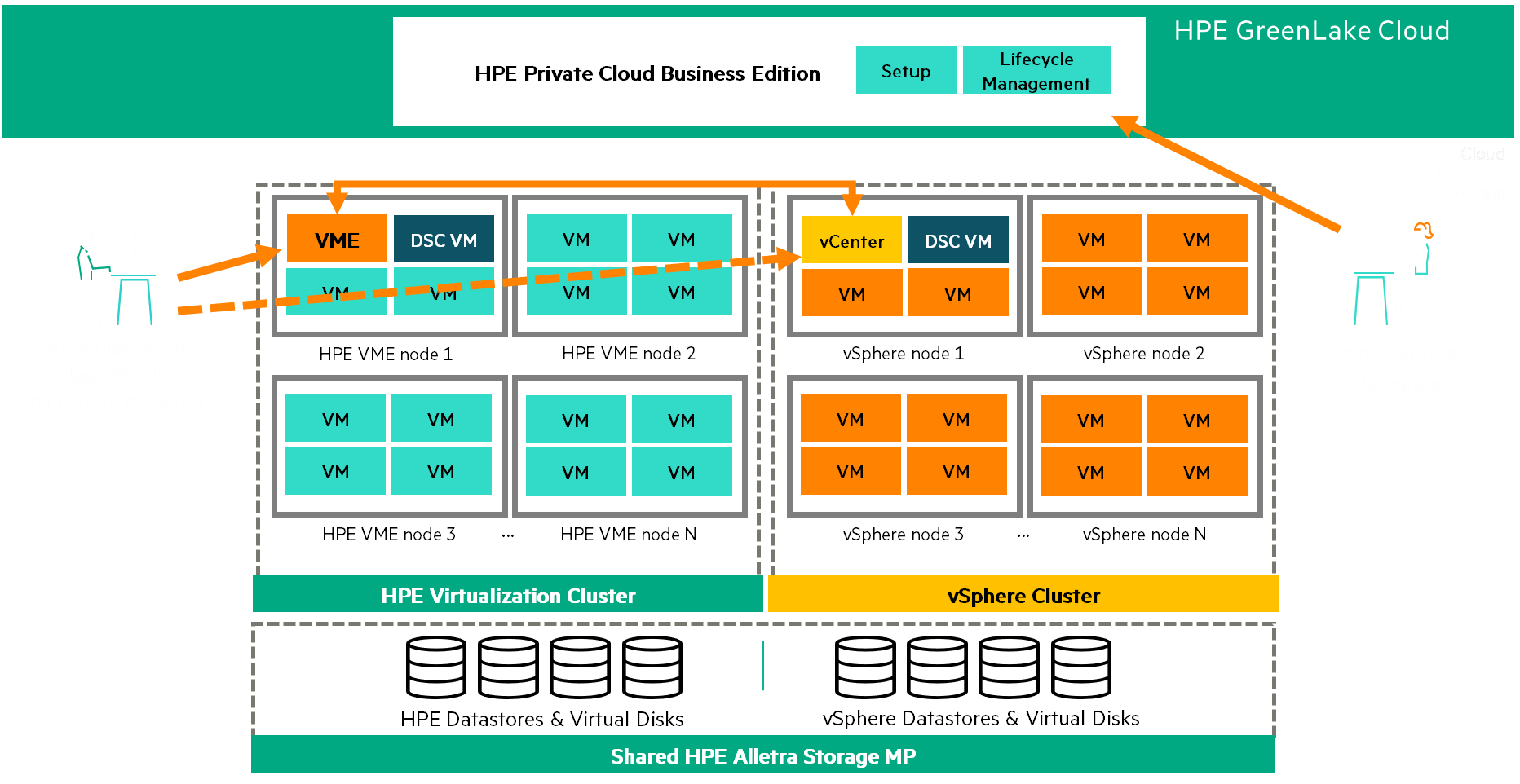
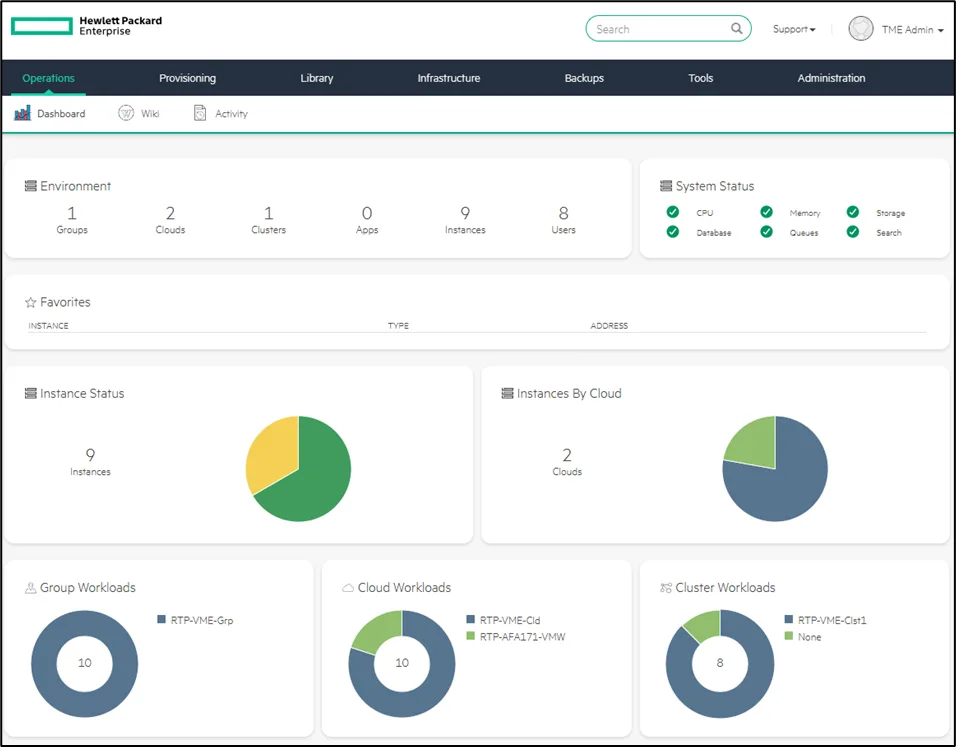
The VM Essentials UI
The VM Essentials UI, the VME Manager, is reached through a web browser and all configuration happens there. REST API and PowerShell access are available too.
Operating system and hypervisor
The KVM hypervisor runs on Ubuntu 22.04.
Networking
VM Essentials uses Open vSwitch (OvS) for the virtual switches.
Storage
Currently the HPE storage arrays Alletra MP B10000, Alletra 6000 and Alletra 5000 are supported over iSCSI. More arrays, and Fibre Channel support, are coming soon.
What I still miss in VME
These five are what I miss most at the moment, though I am fairly sure the gap closes over the next months.
- Stretched cluster support including storage peer persistence (a synchronous storage mirror)
- Backup support for VM backups, agentless, with the leading backup vendors such as Veeam, Cohesity and Commvault
- Host affinity rules
- TPM 2.0
- An integrated VME installer for automated, simple server setup
My conclusion
HPE VM Essentials already offers a good feature set. The roadmap is full enough that the product will cover most use cases before long. With the option of growing into a full Morpheus platform, and HPE behind it, I am confident VME will find its footing in enterprise environments too.
For environments that mainly use VMware’s ESXi hypervisor today and no additional products such as the Aria Suite, NSX or vSAN, VME can be a genuine alternative. On cost in particular, the comparison should be interesting.
Using HPE OpsRamp and growing into the full Morpheus stack makes comprehensive management and monitoring possible.
I would try it in a test, dev or lab environment straight away, to see what my company could get out of it.
The support matrix will certainly keep growing over the coming weeks and months. It is worth checking regularly.
Next step
Would you like to know more about HPE VM Essentials, see it live, or test it yourself? We have years of experience from countless virtualisation projects and an excellent line to HPE, so we can help and advise you too.