vSAN Witness Appliance 9.0
You have probably run into the same problem I did: a freshly deployed 9.0 Witness Appliance that ignores its configuration and reports an expired licence.

You have probably run into the same problem I did. You downloaded the VMware vSAN ESA Witness Appliance for 9.0 (VMware-vSAN-ESA-Witness-9.0.0.0.24755427.ova) and deployed it on your Witness Host. Then you found two things: the configuration parameters were not applied, and, worse, the Witness Appliance reports an expired licence (Your license for ESXi has expired.).
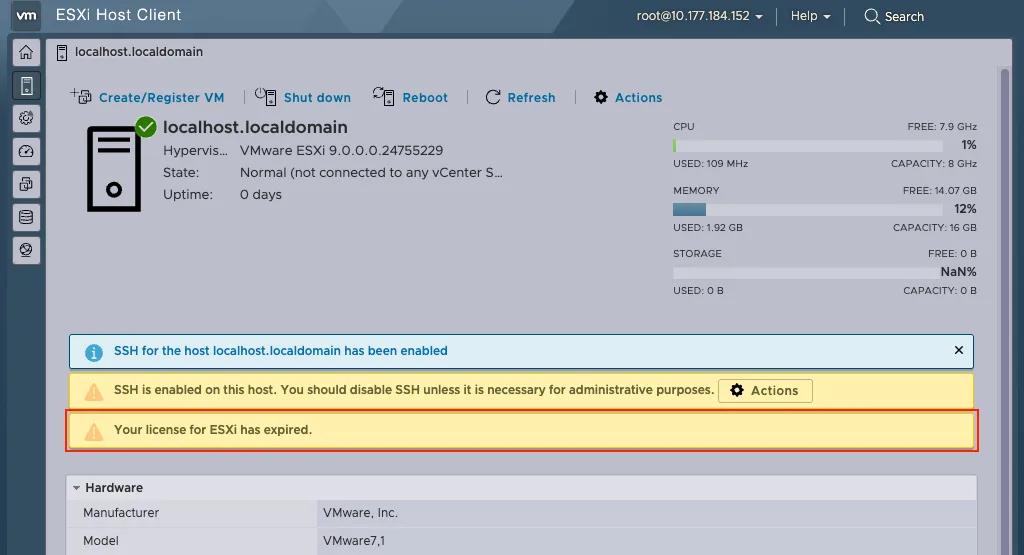
The vSAN Witness does ship with a built-in OEM licence, but it is not picked up here. With VCF 9.0 there are no licence keys any more either, so the old workaround with a temporary key is gone as well.
A short support session with Broadcom Support settled it: this is a bug. There is no fix yet, but there is a workaround.
The workaround
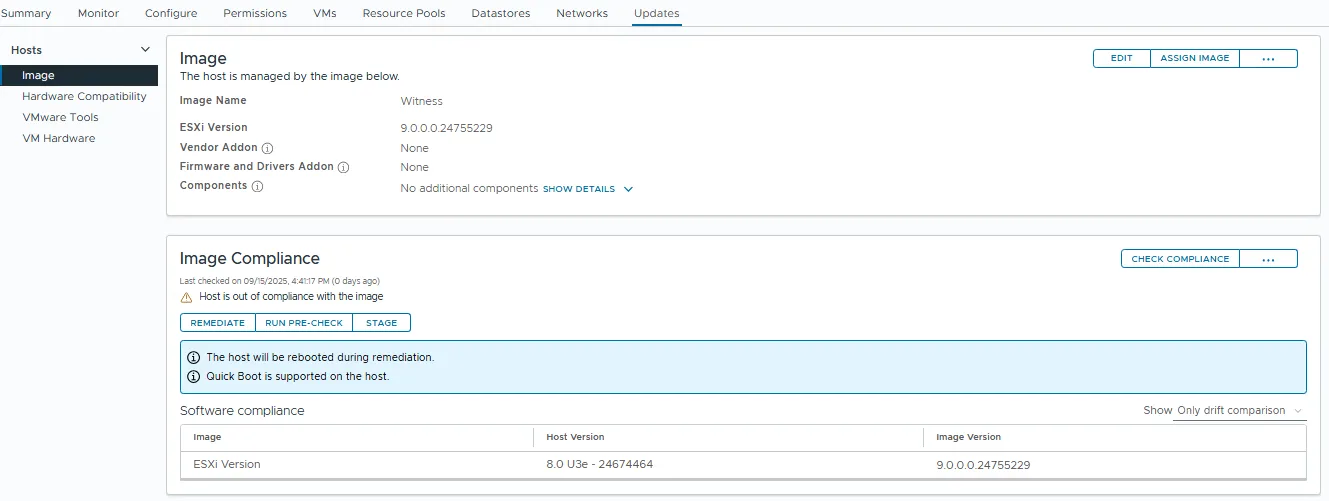
It sounds silly and it works. Take the vSAN ESA Witness 8.0.3 OVA (VMware-vSAN-ESA-Witness-8.0U3e-24674464.ova) and upgrade it to 9.0 through vCenter.
You will also find that the configuration parameters in the OVA are applied correctly.
- Install the Witness
- Add the Witness to vCenter
- Upgrade the Witness to 9.0 with vSphere Lifecycle Manager
Running into trouble, or have a question? Get in touch.