vSphere Supervisor Services
Supervisor Services run Kubernetes deployments directly on a vSphere namespace, so no Kubernetes guest cluster is needed and the pods run on the ESXi host through the vSphere CRX runtime.

vSphere IaaS Control Plane, formerly vSphere with Tanzu, has Supervisor Services. They let you run Kubernetes deployments directly on the vSphere namespace, so no Kubernetes guest cluster is needed and the pods run on the ESXi host itself through the vSphere CRX runtime.
Active by default is the TKG Service, used to provision Kubernetes guest clusters on a vSphere namespace.
The other Supervisor Services:
- Consumption Interface
- vSAN Data Persistence Platform (vDPP) services
- Backup & Recovery Service
- Certificate Management Service
- Cloud Native Registry Service
- Kubernetes Ingress Controller Service
- External DNS Service
- NSX Management Proxy
- Data Services Manager Consumption Operator
Installing a Supervisor Service
A Supervisor Service consists of two YAML manifests:
- An installation manifest, which registers the Supervisor Service
- A configuration manifest, which installs the service on the Supervisor (the values file)
This guide uses NSX and Antrea as the CNI.
Some Supervisor Services require NSX, Velero for example.
Contour ingress controller
- Download the Contour service: Contour v1.28.2
- Download the Contour values: values for all versions (with Contour the values file needs no changes)
The service is added under Workload Management:
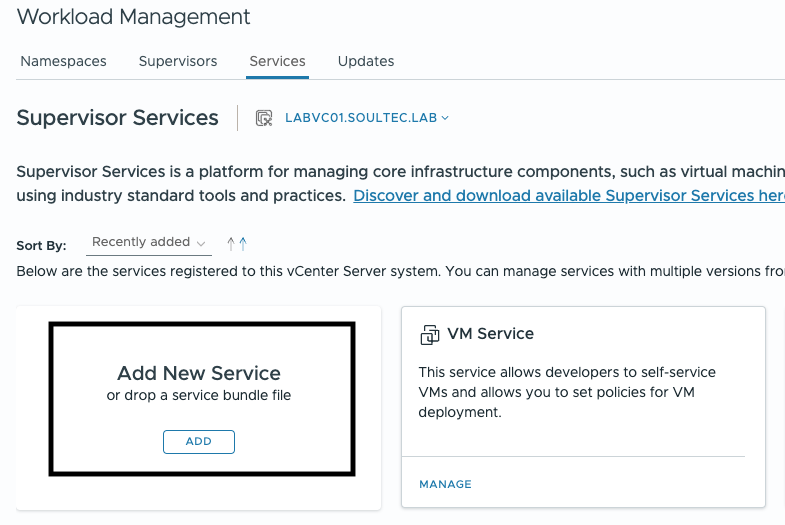
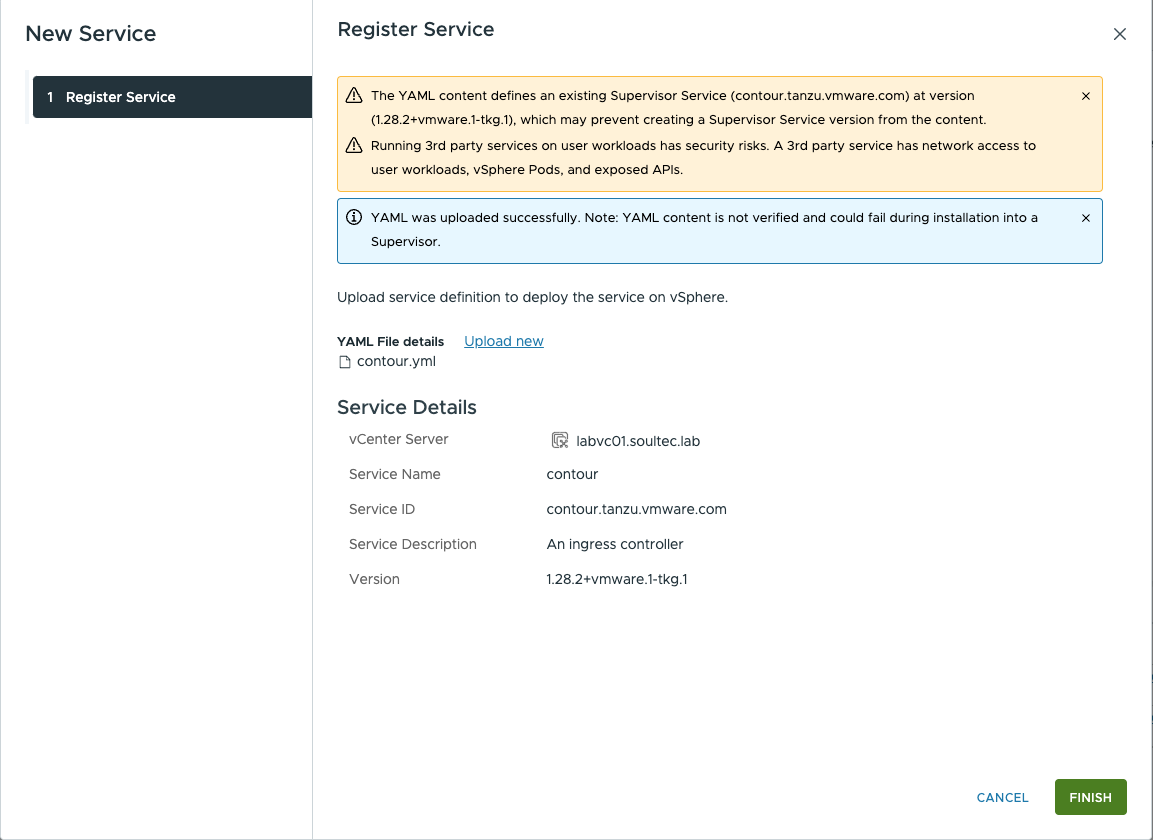
For the service registration you give it Contour’s YAML file, unchanged.
Here that is the Contour v1.28.2 file:
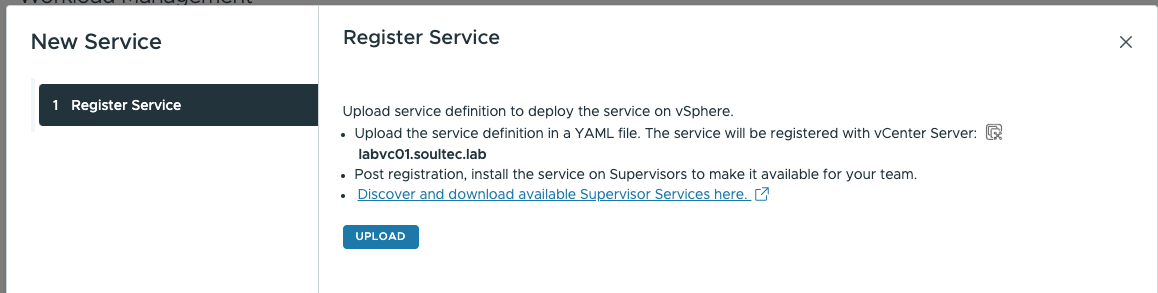
The service is now registered:
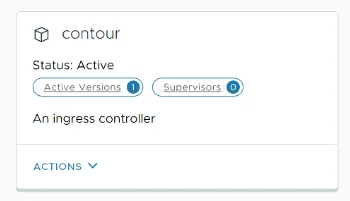
After registration the service still has to be installed on the Supervisor. The “0” under Supervisors shows that Contour is not yet installed on any of them.
Actions > Install on Supervisors
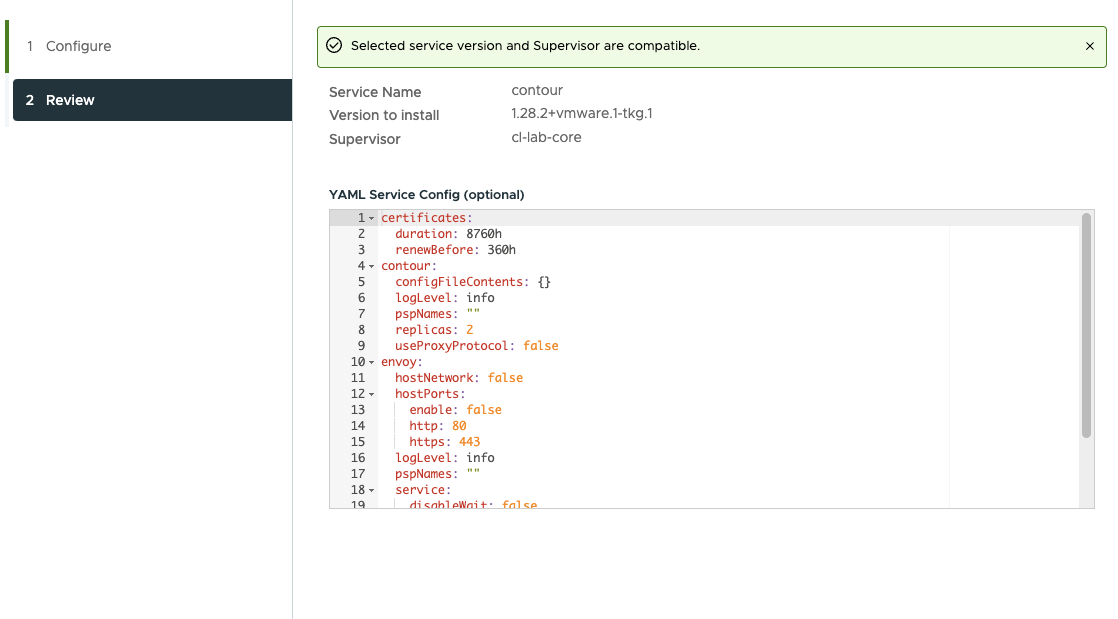
Now give it contour-data-values.yml:
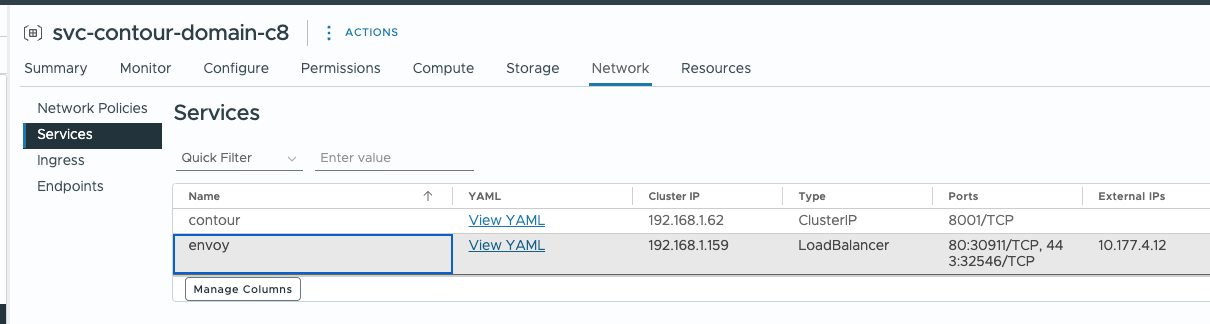
As soon as Contour gets an external IP on the envoy service, the ingress controller is installed correctly:
Harbor container registry as a Supervisor Service
Harbor requires Contour to be installed first.
- Download the Harbor service: Harbor v2.9.1
- Download the Harbor values file: v2.9.1
Registering Harbor as a Supervisor Service:
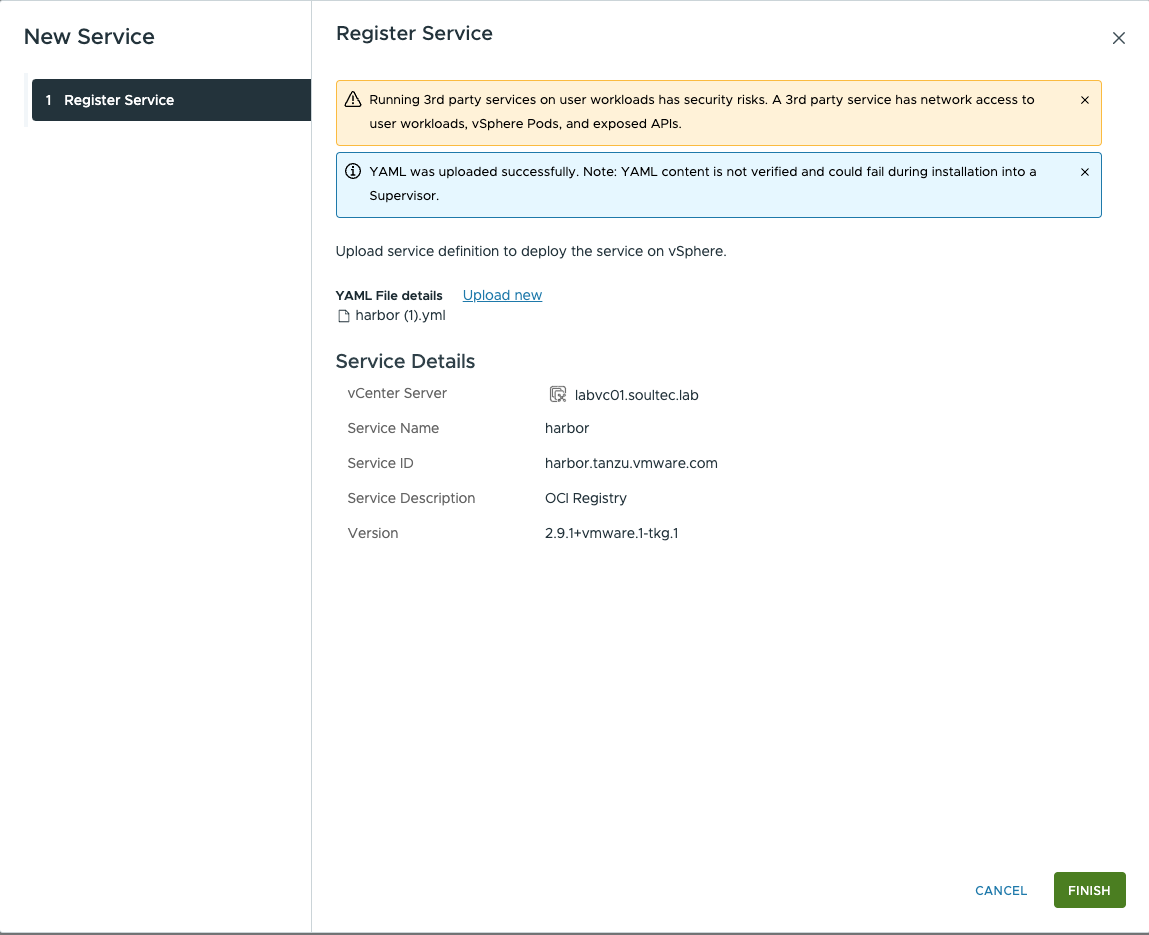
Here you enter this YAML: Harbor v2.9.1
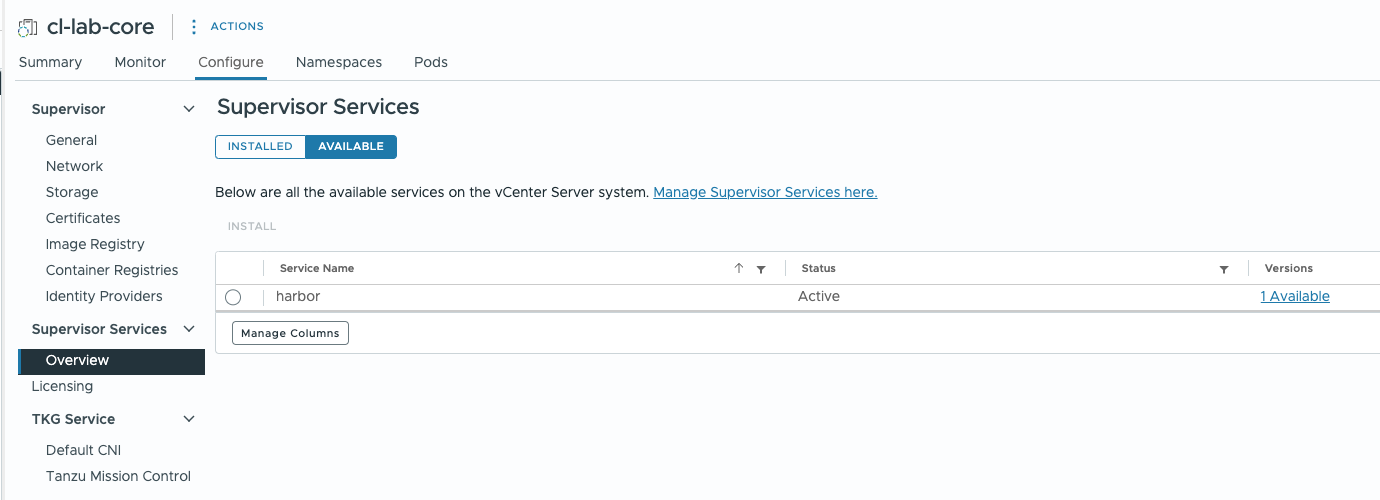
Installing on the Supervisor:
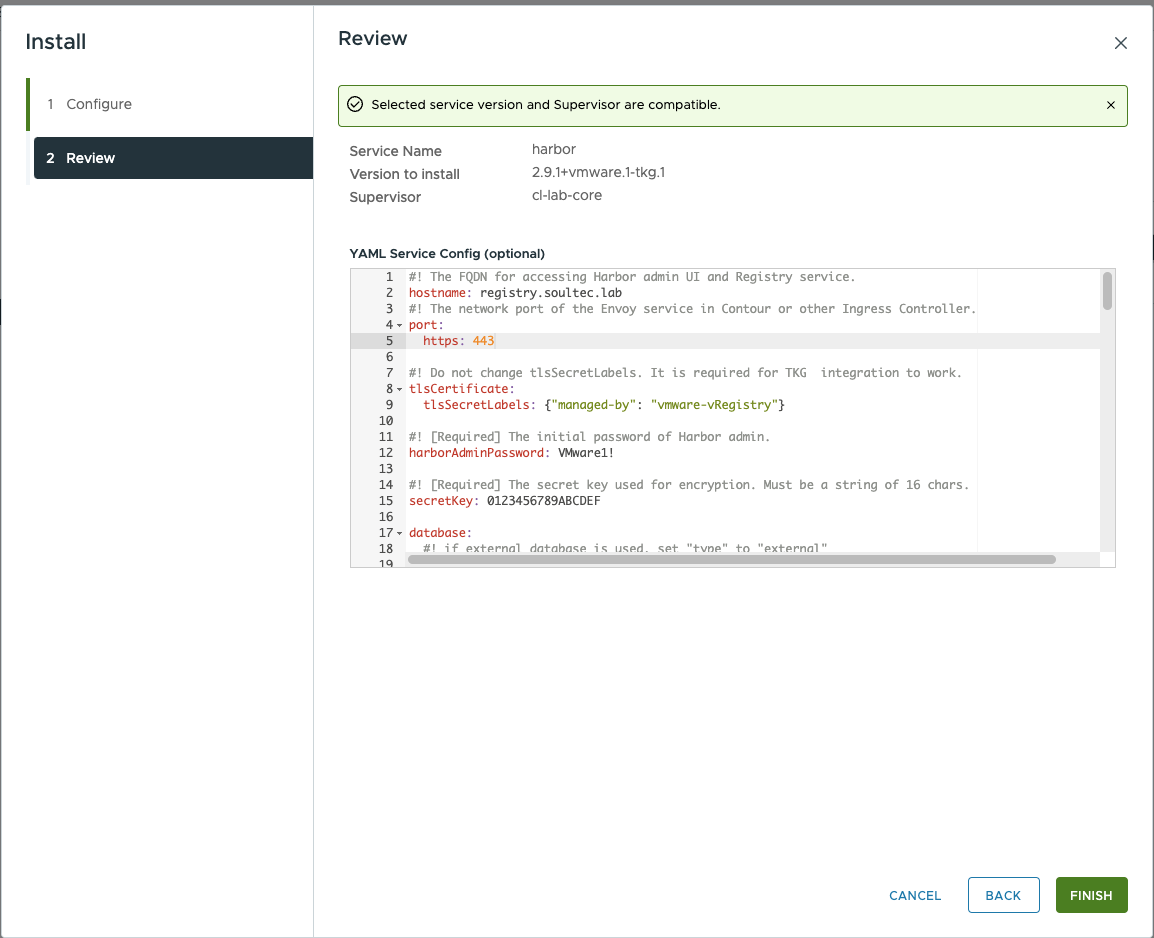
With Harbor the values YAML (v2.9.1) has to be adjusted:
- Hostname
- StorageClass
- Passwords and secrets
After installing on the Supervisor, a dedicated vSphere namespace is created for Harbor:
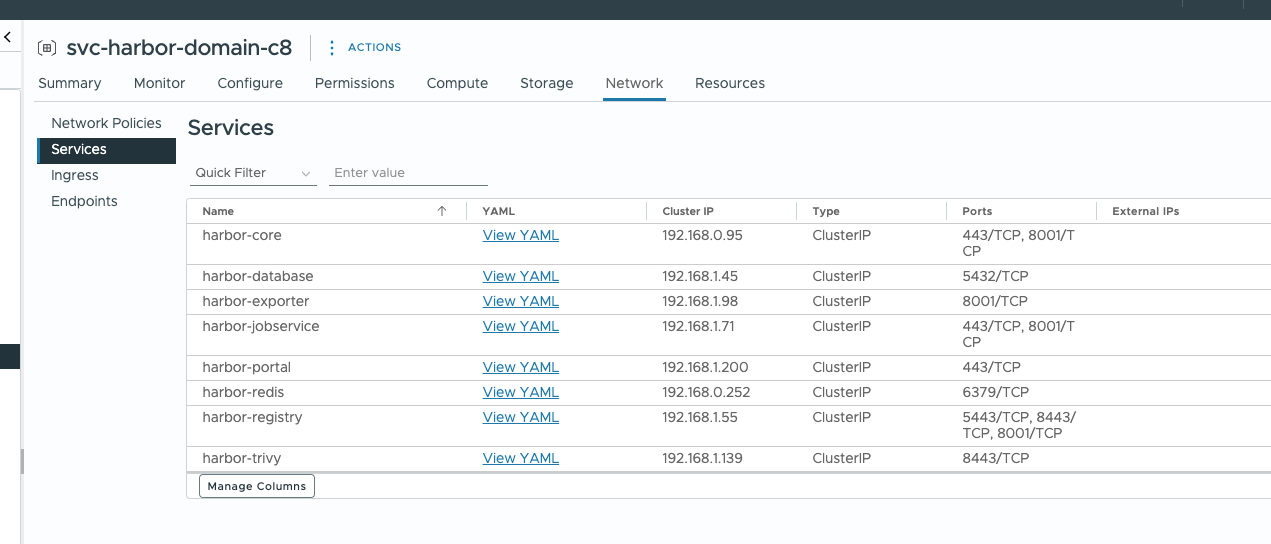
Because Harbor needs Contour as its ingress controller, create a DNS record pointing the hostname from the Harbor values file at the envoy service’s IP.
In our case: 10.177.4.12 -> registry.soultec.lab

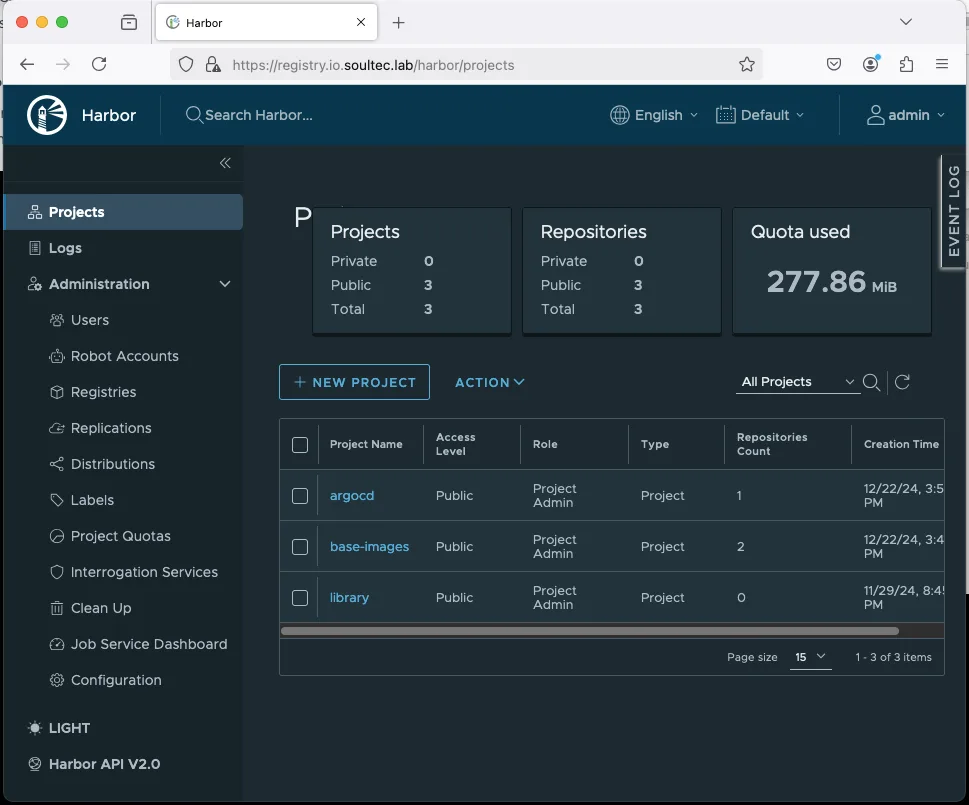
The Harbor UI is now reachable. Log in with the password specified in harbor-values.yaml; that file is also where the TLS certificate is changed.
Installing the ArgoCD operator as a Supervisor Service
The ArgoCD operator installs ArgoCD instances as vSphere pods in a vSphere namespace.
First the ArgoCD operator has to be installed as a Supervisor Service.
- Download the Supervisor Service: ArgoCD Operator v0.12.0
- Download the values file: values.yaml (no changes needed, as long as quay.io is reachable from the vSphere namespace)
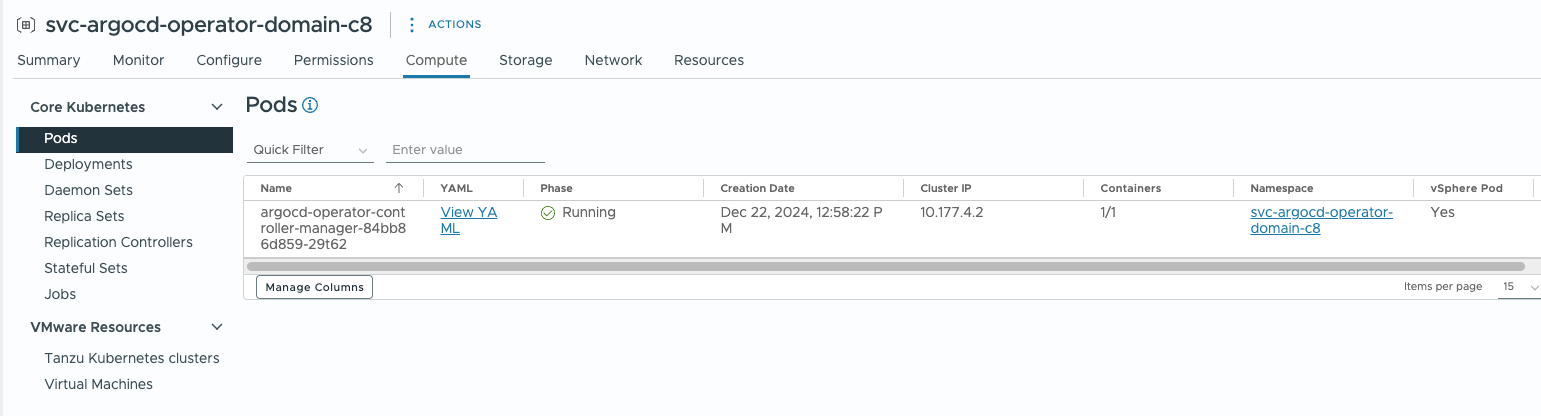
Once registered and installed on the Supervisor, a vSphere namespace with one pod is created. That is only the ArgoCD operator, not an ArgoCD instance yet:
Installing an ArgoCD instance in a vSphere namespace
ArgoCD deployment: argocd-instance.yaml
The ArgoCD instance is installed directly in a vSphere namespace. Log in to the vSphere namespace with kubectl and set the kubectl context:
kubectl vsphere login --server <Supervisor-VIP> -u user@vsphere.local

kubectl config use-context <vSphere-Namespace>
Then create the deployment from argocd-instance.yaml. The file needs no changes:
kubectl apply -f argocd-instance.yamlCheck the vSphere pods:
kubectl get pods --watchOnce all the pods are running, an external IP should be available for the load balancer:
kubectl get svc --watch 
Now create a DNS record pointing at that IP.
In our case: 10.177.4.18 -> argocd.soultec.lab
The initial ArgoCD admin login
The initial ArgoCD password for the “admin” user is in a Kubernetes secret:
kubectl get secret stlab-argocd-cluster -o jsonpath='{.data.admin\.password}' | base64 -dArgoCD can now be managed through its UI.
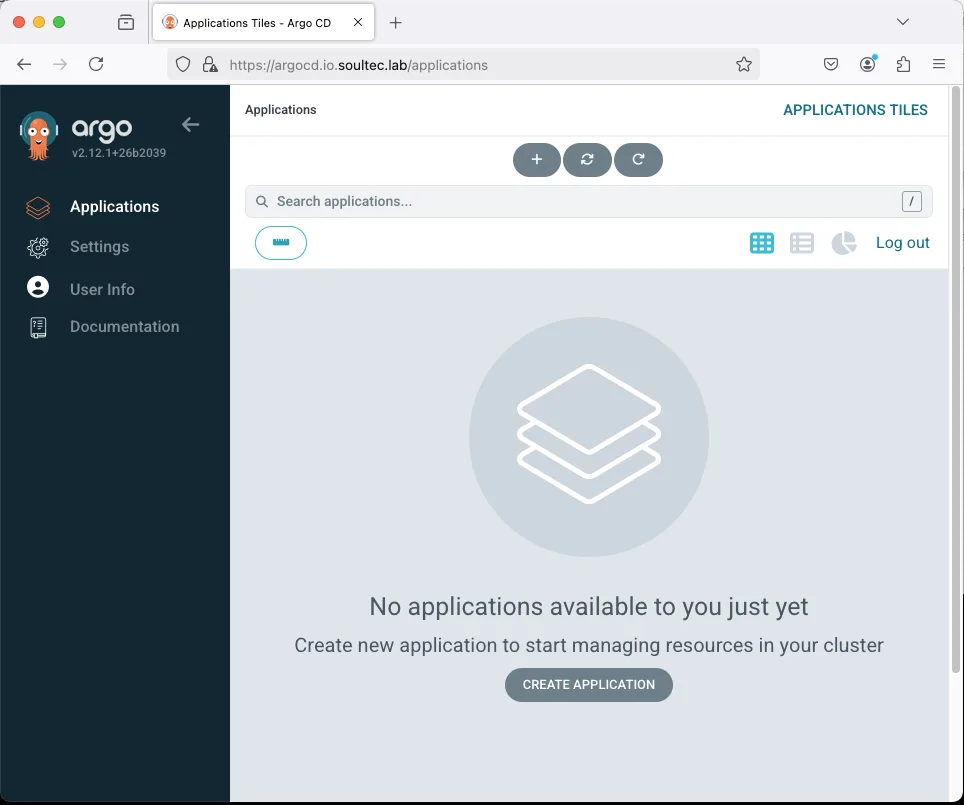
ArgoCD’s configuration, SSO, RBAC and the rest, is done through ConfigMaps. Those ConfigMaps can be rolled out through ArgoCD itself, so ArgoCD manages itself. Default Kubernetes services such as cert-manager or an in-guest-cluster ingress controller can be rolled out the same way. The “ArgoCD app of apps” approach is interesting here. More on that in another post.
Conclusion
Supervisor Services are an intuitive, straightforward way to install a Kubernetes deployment directly on a vSphere namespace. With Harbor as the container registry and ArgoCD in place, the groundwork for continuous deployment is done.