Disaster recovery with VMware Live Cyber Recovery
VMware Live Cyber Recovery protects your virtual machines against data loss in a disaster and in a cyber attack, and gets them back quickly.

VMware Live Cyber Recovery protects your virtual machines against data loss in a disaster and in a cyber attack, and restores them quickly. What makes it convincing is its simplicity, a usable interface, seamless integration into vSphere, and the heart of it: automated orchestration of the recovery process.
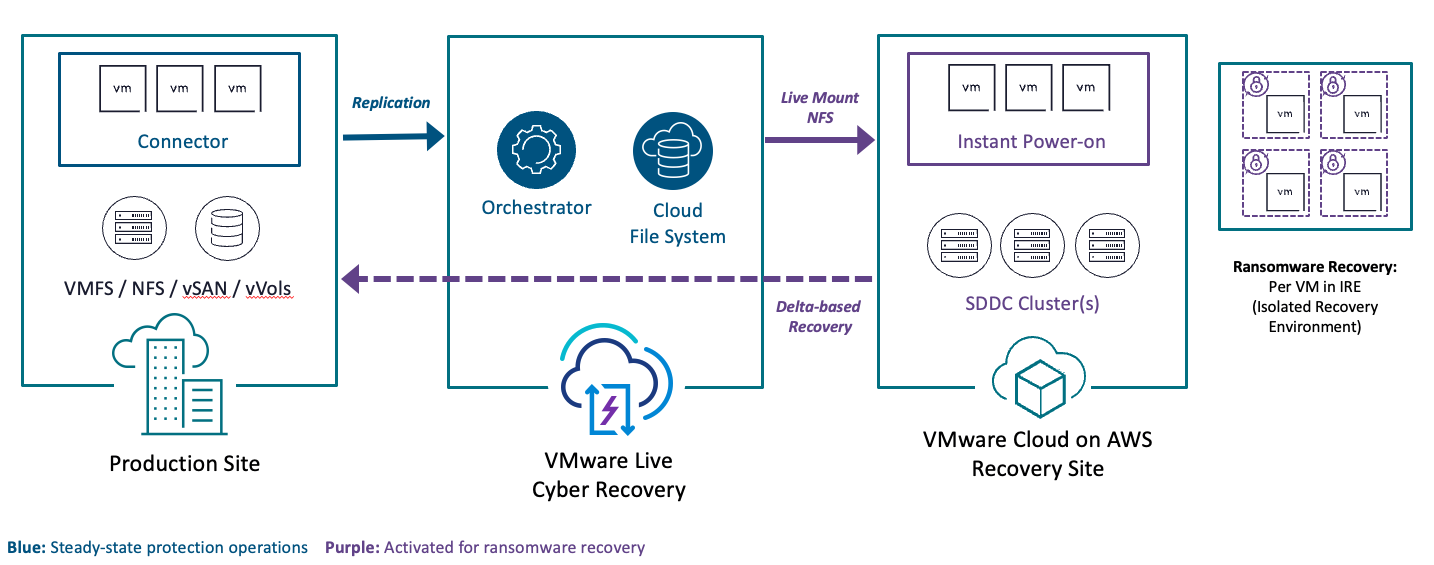
Setting up VMware Live Cyber Recovery (VLCR) takes about an hour. That covers deploying the Cloud File System and installing the connector appliance in your vCenter. That is it, nothing more.
Protection groups
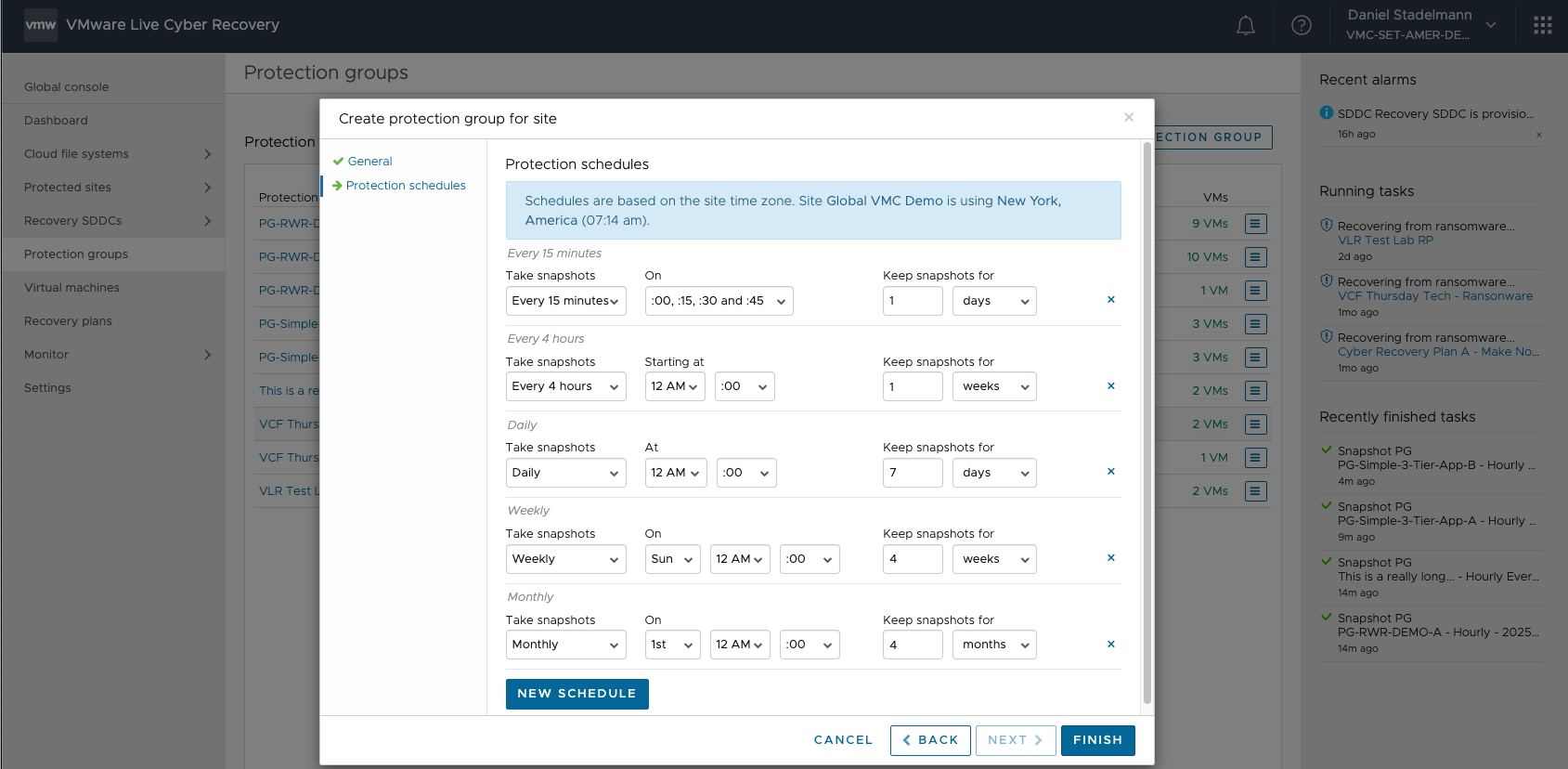
Protection groups are what protect your workloads. They contain the VMs and define the RPO and how long snapshots are kept. For ransomware to be detected effectively we need snapshots kept in the Cloud File System for up to 90 days, so daily change rates can be established and an anomaly, which is what encryption during a ransomware event looks like, can be spotted. Ideally the RPOs for each IT service are already defined in your organisation’s IT service continuity management and map one to one onto VLCR. If they are not, we are happy to help you work out an ITSCM.
Recovery plans
Once the protection groups exist, the recovery plans get created. A recovery plan describes the order of recovery and the resource mapping. The exact order matters, because the known dependencies between your IT services have to be respected. Domain services, for instance, have to start before file and database services. Applications come last. That way the IT services start in the right order and actually work. The other part of a recovery plan is the resource mapping: all vSphere resources (folders, compute clusters and port groups) are mapped one to one onto the cloud DR environment.
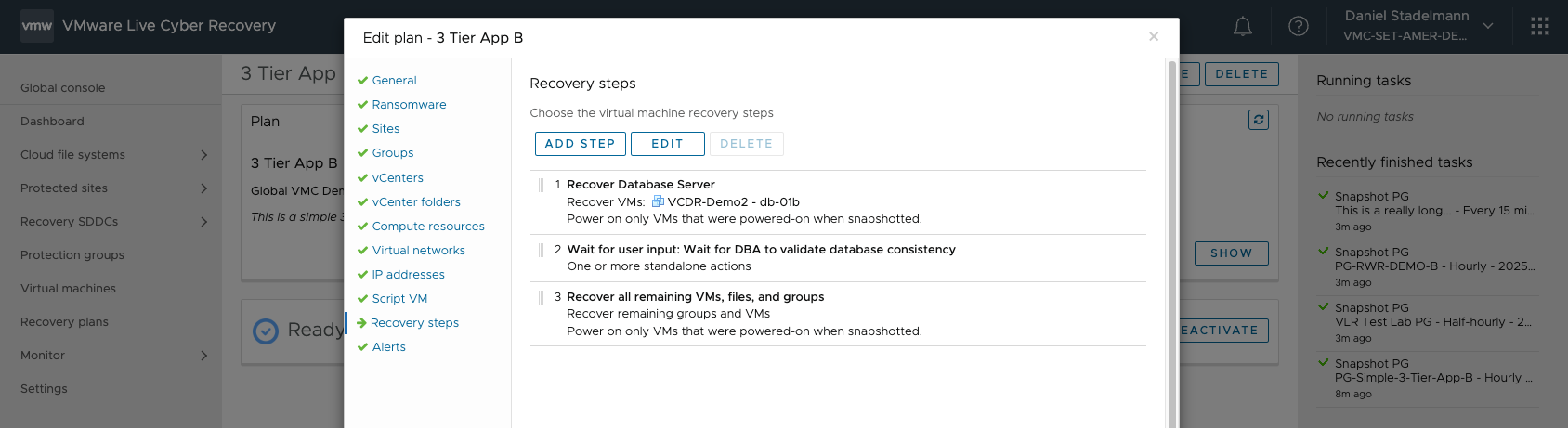
When a recovery plan runs, the VMs boot straight out of the Cloud File System. They are online within minutes, with no conversion and no re-addressing. As soon as the VMs are recognised as online, the next group starts recovering.
DR tests
An important part of a DR solution is being able to test it while production runs. That is the only way to know it will work in a real event, and that none of the changes made to the IT infrastructure over the last days, weeks or months restricts or prevents the IT services from running in the DR environment. New VMs that were never replicated to VLCR, for example. A lot of familiar mistakes, such as missing port groups, are detected and reported by VLCR before they matter.
VLCR offers both a ransomware recovery test and a disaster recovery test, so recoverability and ransomware testing can be run at any time without affecting production workloads. Here is a short video of it.
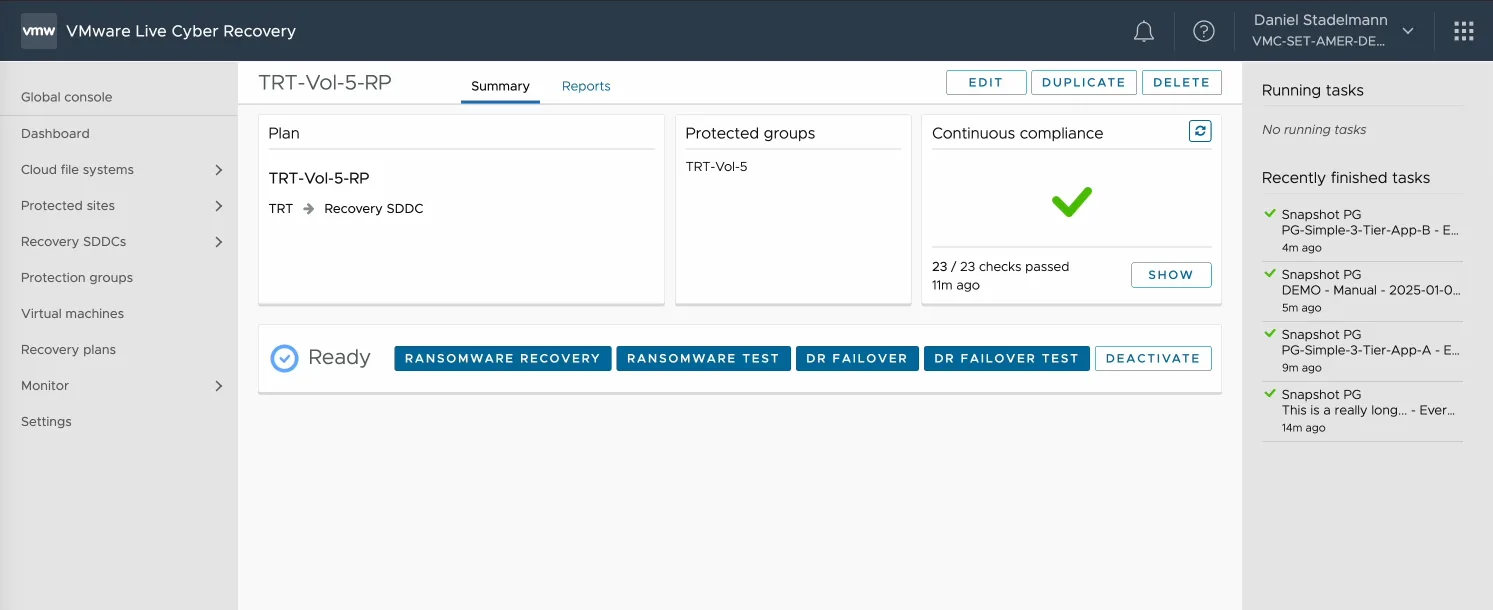
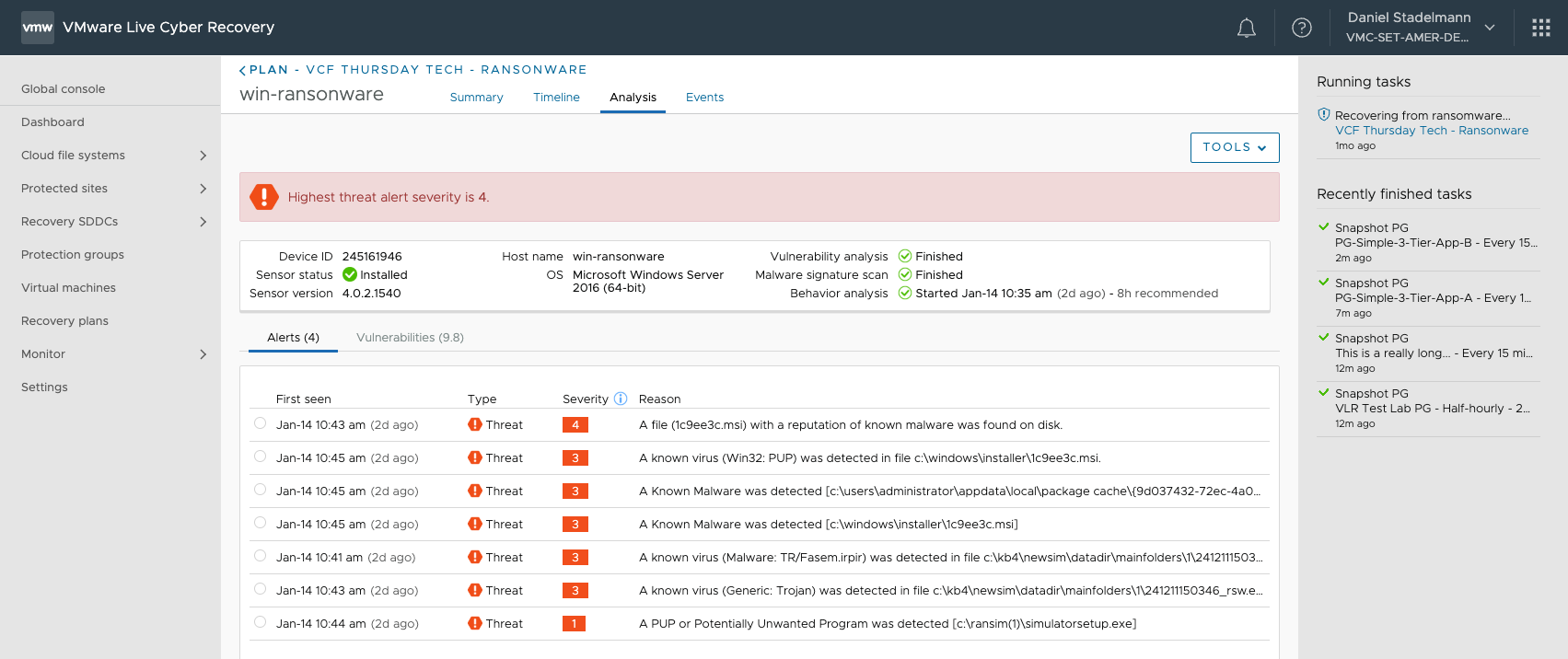
The ransomware recovery test shows the alerts and the vulnerabilities found. Behaviour analysis runs constantly in the background through the security sensor.
In a real DR event, VLCR builds a fallback plan that lets you move your workloads back to where they came from, your on-premises data centre for instance, once the disaster is behind you. All of it on VMware snapshot technology.
https://soultec.ch/wp-content/uploads/2025/01/VLCR-Recovery-Failback.mp4
This post was a session at the last TRT
If content like this interests you and you want to hear more or talk it over with us, come to our next Technical Round Table (TRT). We run it twice a year. More information here: